01
Set up
iPhone on the tripod, a few metres beside or behind you. Tap Auto.
For iPhone and iPad
See what your swing is really doing.
 Android to follow
€19.90 once. No subscription. The first 30 swings are free.
01 The moment
Impact lasts half a second. Too fast to feel, and gone before you can hold on to it. You practise a swing you never fully see.
ARCO stops it. You pull yourself through your swing frame by frame, forwards and backwards, and stay on exactly the frame you care about. What you could only guess at is finally in front of you.

02 About
I had the same problem on the range as everyone else: phone on the tripod, film, and afterwards my swings sat between holiday photos.
The apps that solve it cost money every month and felt like software from another time. So I built the camera I wanted myself: one that is there right away, finds every swing on its own, and that you buy only once.
03 How it works
Three steps, then it runs. ARCO does the rest on its own.
01
iPhone on the tripod, a few metres beside or behind you. Tap Auto.
02
Hit your balls as usual. ARCO spots every swing on its own and tells you by voice, tone and light.
03
Pull yourself through the swing frame by frame with your thumb. Forwards and backwards, right there on the range.
04 Who for
ARCO grades nothing. It shows. The most out of it goes to whoever already has a sense of their swing, or someone who gives them one.
You know what you're practising, or you want to see it exactly. ARCO shows your swing clearly enough that you recognise what is happening yourself.
At the start you often don't know what to look for. Once someone shows you, a pro or your coach, ARCO becomes honest training support.
05 Reviewing
You hit your balls, and after each one you want to see what you did. One thumb across the display is enough, and you pull yourself through the swing, forwards and backwards. No thin slider you have to hit.
With a glove, standing, one hand. You glance down, see the swing and hit the next ball. You stay in the flow of your practice instead of getting stuck on the controls.
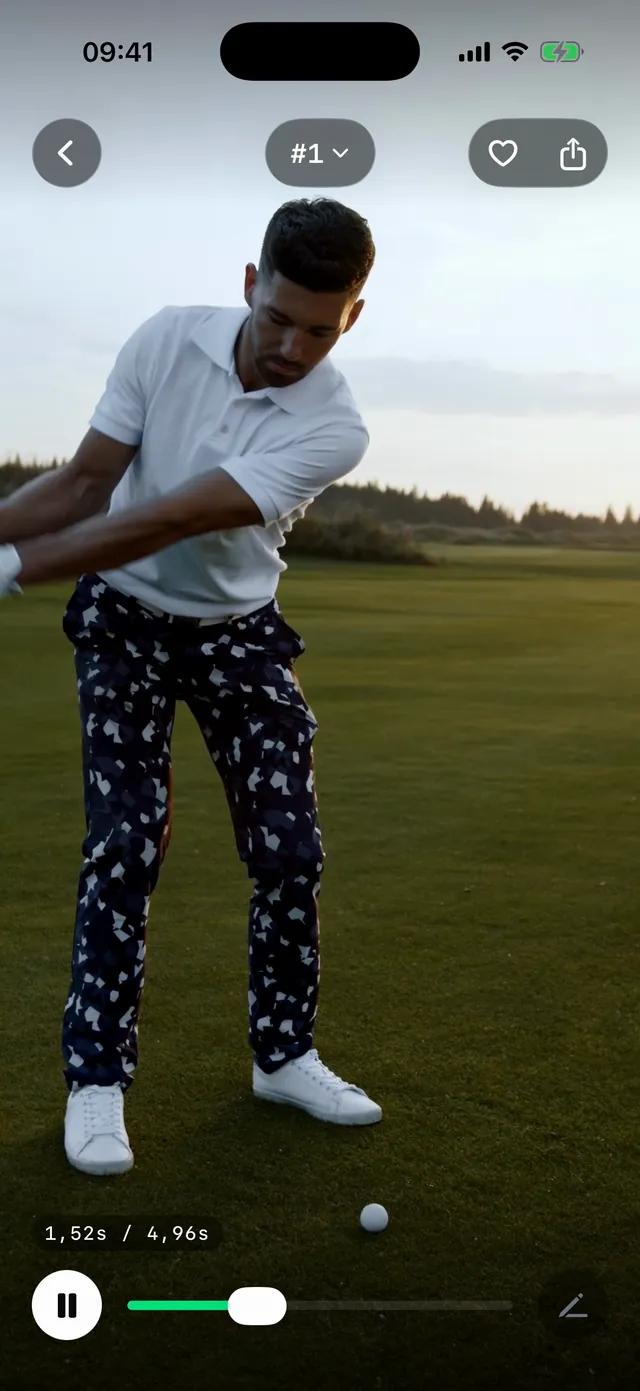
06 Automatic
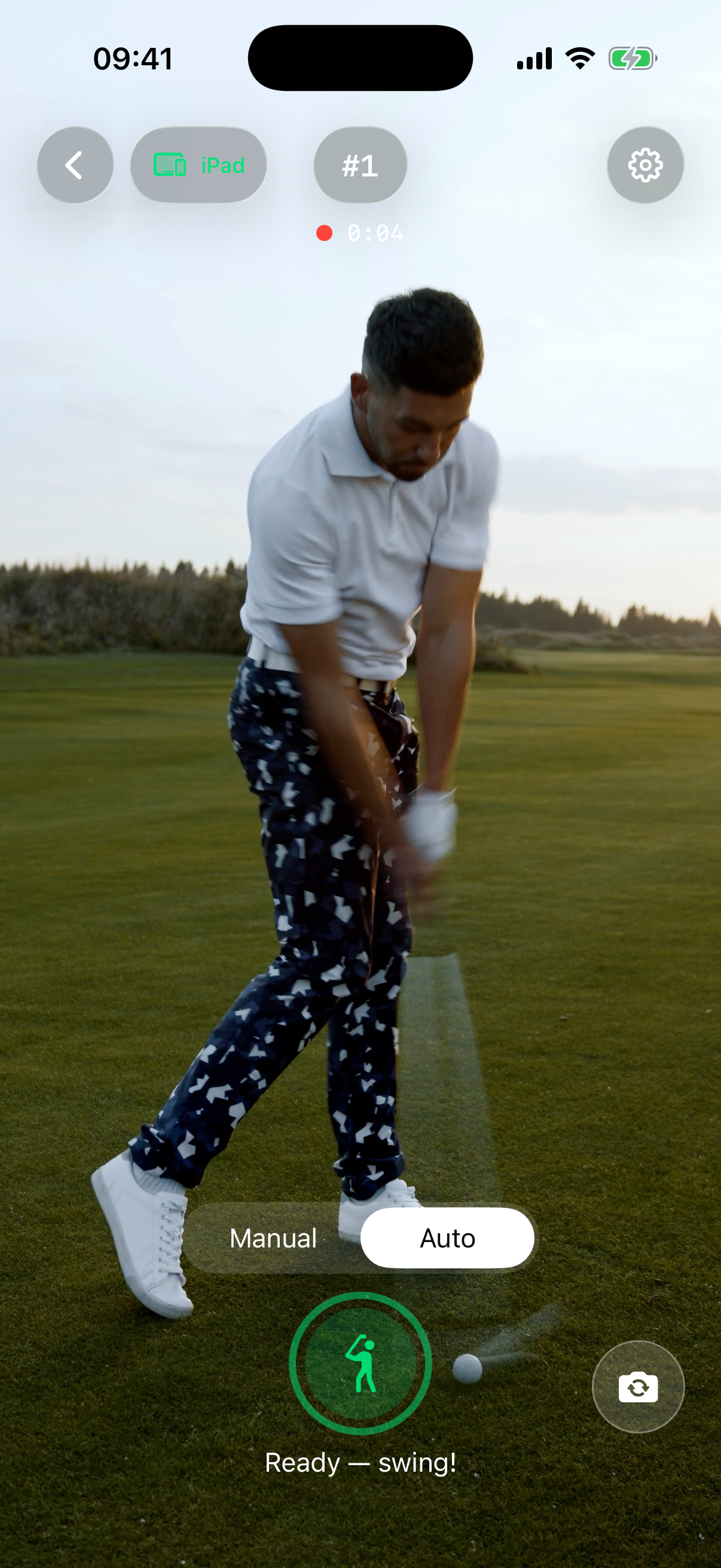
Walking to the screen, tapping record, stepping back into position: every ball, that breaks your rhythm. ARCO records each swing on its own and tells you by voice, tone and light. No reaching for the phone, no glance at the screen.
As soon as you are at address, ARCO says so. One word, nothing more.
A short tone at the moment a swing has been detected and filed.
On the rear camera the flashlight stays lit while ARCO is ready.
ARCO waits until you stand still, records on its own, trims the swing and files it separately.
That works in the net, on the mat and in the living room. Landscape or portrait, iPhone or iPad. Walking past sets off nothing.
07 Library
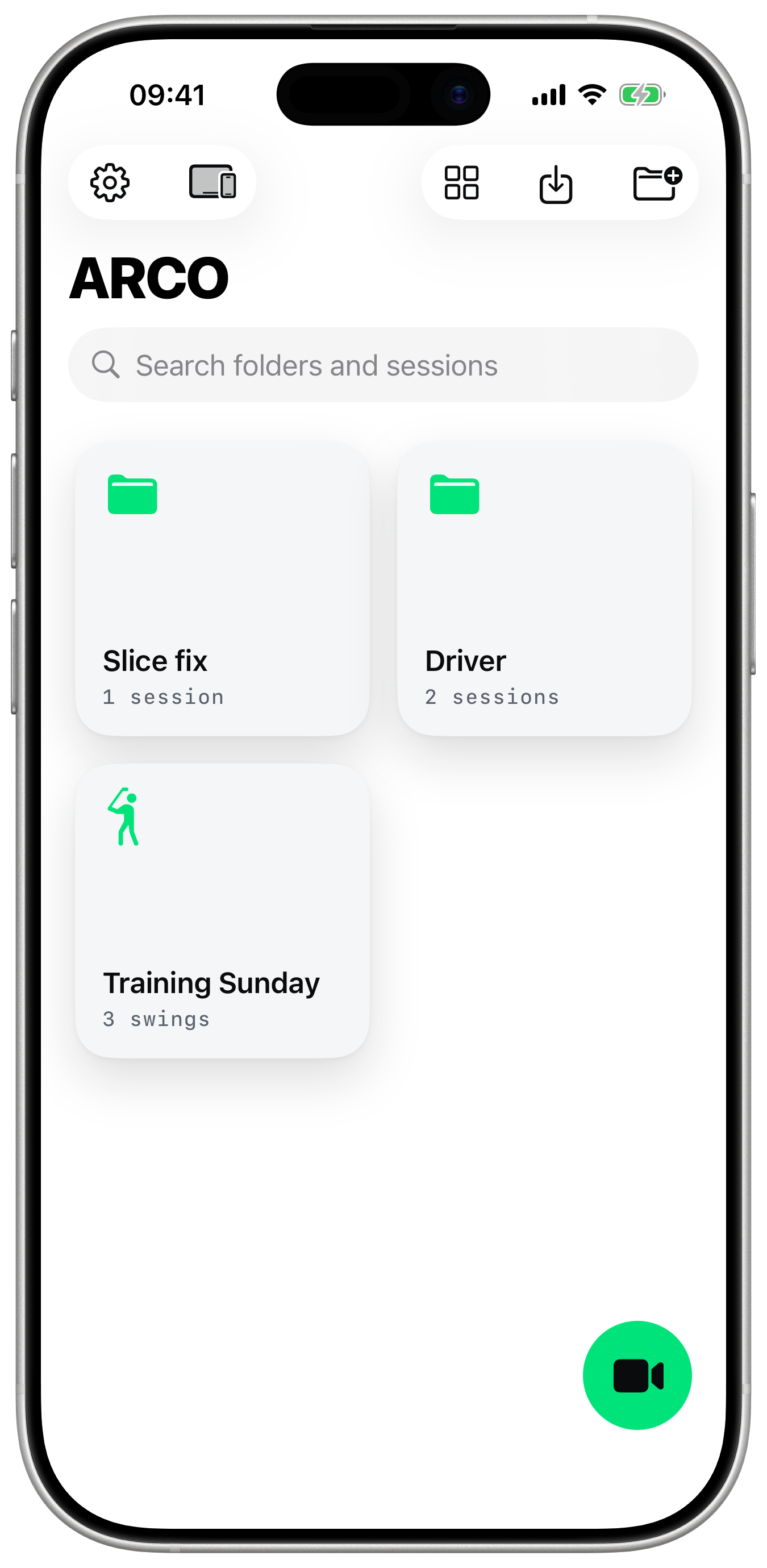
Folders you name yourself: a coach keeps one per student, a player one per club. Every swing sits on its own, not as a 40-second video between holiday photos.
Your recordings stay on your device. No account, no upload, no waiting.
08 Companion
On the iPhone in the tripod, your swing is small and far away. Put an iPad next to you, and every swing shows up large in front of you right away. No server, no Wi-Fi, no account. The devices talk to each other directly.
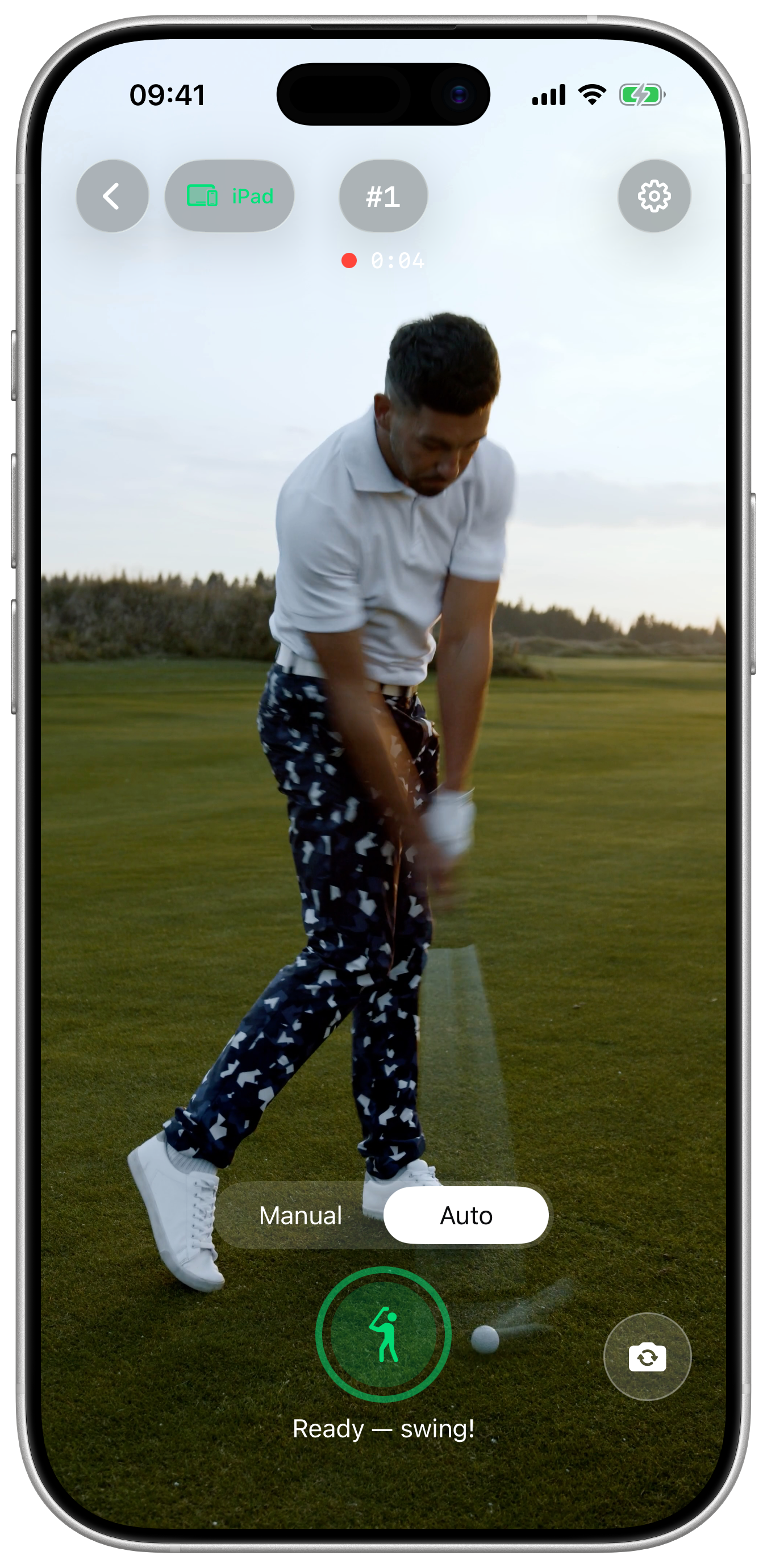
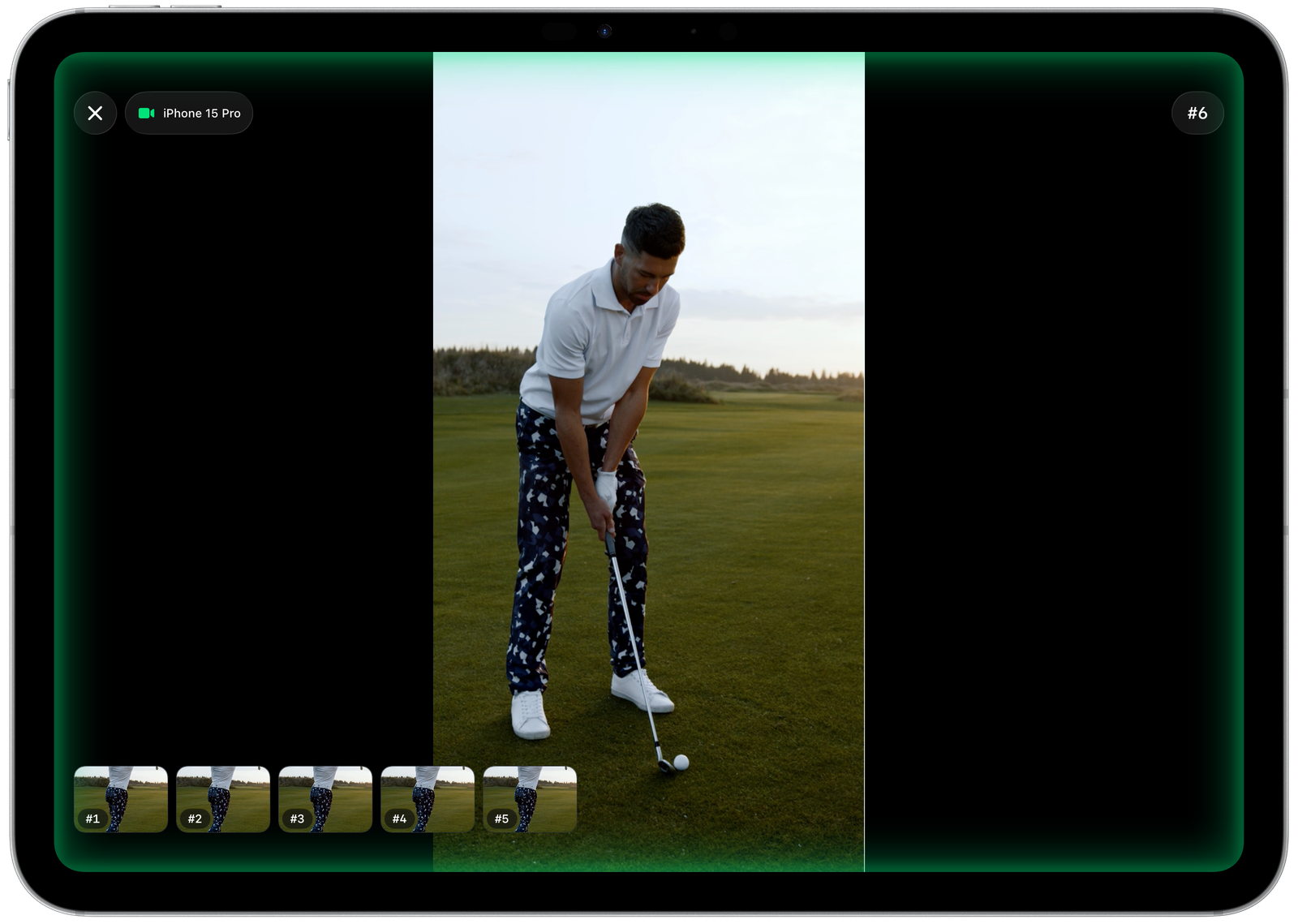
The Companion is an extension, not a condition. Everything one device needs is in ARCO itself. During the trial you can try it out freely.
09 For coaches
ARCO takes the tech off your hands, not the teaching. Bought once, for your whole operation: no account for students, no per-seat licence, no subscription.
Every swing sits on its own and named. You find last week's lesson in seconds.
The iPhone films on the tripod, and you both see every swing large right away. Draw lines straight onto the frame while you talk.
No app passing judgement on your teaching. If you do want analysis, you export the swing there with one tap.
10 Limits
ARCO does not grade your swing. No score, no verdict, no AI telling you what is wrong. ARCO shows you your swing so clearly that you see it for yourself.
This is ARCO for people who know what to look for, and for people whose coach shows them. If you do want an automatic verdict, you export any swing to the app that does it with one tap.
11 Voices
From beginner to golf instructor:
A few words from people who use ARCO on the range.
First LastHandicap 12
“Lorem ipsum dolor sit amet, consectetur adipiscing elit. Sed do eiusmod tempor incididunt ut labore et dolore magna aliqua.”
First LastAmateur golfer
“Ut enim ad minim veniam, quis nostrud exercitation ullamco laboris nisi ut aliquip ex ea commodo consequat.”
First LastGolf instructor
“Duis aute irure dolor in reprehenderit in voluptate velit esse cillum dolore eu fugiat nulla pariatur.”
12 Price
€19.90 once, in a market where ten to thirty dollars a month is normal. That is possible because there are no server costs and no AI costs. The price follows from how ARCO is built. It is not a promotion.
Trial
30 swings
Free and complete. Every feature is unlocked, the Companion included. Nothing is locked, nothing expires.
Pre-order nowARCO
€19.90
Once. Recording, automatic mode, library, markings, sharing. iPhone and iPad.
Pre-order nowARCO Companion
€9.90
Once, optional. A second device as a monitor: one films, the other shows.
Pre-order now| Provider | Model | Price | After 3 years |
|---|---|---|---|
| ARCO | One-time purchase | €19.90 | €19.90 |
| ARCO + Companion | One-time purchase | €29.80 | €29.80 |
| V1 Golf Premium | Subscription | $29.99/mo. | ≈ $1,080 |
| V1 GOLF+ | Subscription | $69.99/yr | ≈ $210 |
| Onform (athlete) | Subscription | $9.99-14.99/mo. | ≈ $300-540 |
| Sportsbox 3D Golf | Subscription | $110/yr | ≈ $330 |
| Mirror Vision Golf Pro | Subscription | $49.99/yr | ≈ $150 |
Third-party prices as stated by the provider, as of July 2026. Against V1 Premium, ARCO has paid for itself in under a month, against the ten-dollar plans in a good two months, and against the cheapest annual subscription in about five months.
13 Instagram
New recordings, work in progress and views from the range. On Instagram at @arco.golf.
14 Questions
No. The first 30 swings are free, after that ARCO costs €19.90 once. No subscription, no account. What you buy is yours and keeps working. ARCO Companion for a second device costs €9.90 once and is optional.
Yes. Recording, detection and review run entirely on your device. Nothing is uploaded, so there is nothing to wait for. Even the Companion needs no Wi-Fi: the two devices talk to each other directly.
On iPhone and iPad from iOS 17. Recording runs at 120 or 240 frames per second, from 720p to 4K, depending on what your device can do. For the Companion you need two devices, an iPhone and an iPad for example. An Android version is already being built and will follow soon.
Detection runs on your body movement, not on ball contact. That is why it works in the net, on the mat, without a ball and no matter how the device is set up. A spoken “Ready” tells you when ARCO is set, and a short tone confirms every saved swing. If you would rather trigger it yourself, there is a manual mode.
As real video files on your device, in the app's own folder and not in your photo library. Sorted into folders and sessions that you name yourself. No account, no cloud. You can export any swing at any time, with or without your markings.
Yes. The Android version is coming soon. For now ARCO is available for iOS and iPadOS only. If you would like to be a beta tester for the Android version, write to me at max@arco.aljoma.at
The first 30 swings are free. After that, €19.90 once.
Android to follow